

Outdoor Bullet Cameras
Bullet cameras are a style of cctv security cameras that are tubular, rectangular, or cylindrical shaped, and are weatherproof against anything short of a hurricane or pressure washer. Since 2005 they have become very popular because they can be manufactured at an affordable cost in a weather proof design that also contains the image sensor, infrared night vision, and a bracket built-in to the camera casing. In the past only a professional camera inside of a big beige housing could offer these features. Because of all these features, and the fact that electronics are now a lot smaller, some cameras can even be used indoors like in offices, stores, and warehouses depending on their size.
All of the cameras below have been handpicked by our staff at 123 CCTV to be the best bullet cameras on the market due to their weather proof rating. Depending on the model, they can be mounted on ceilings or walls. Best of all, almost all of our cameras feature a SONY CCD image sensor that provides sharp, detailed video images for its resolution. This far exceeds the cheaper CMOS sensor offerings in the market that may be of even higher TV Lines resolution. Remember nothing beats a SONY CCD from 123 CCTV!
-
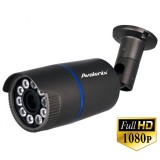
1080P Outdoor Bullet Camera with Motorized Zoom Lens
- 1080P Outdoor Bullet Camera
- 2MP 30fps
- 2.7-13.5mm Motorized lens
- Up to 262ft infrared
- 108 to 30° angle of view
- Ceiling or Wall Mount

Regular Price: $349.99
Now only: $199.99
-
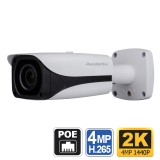
2K Long Range PoE Camera, 400ft IR
- 2K Bullet PoE camera
- Starlight Video
- 400ft Night Vision
- 8-32mm Lens
- Outdoor IP67
- 12VDC or PoE
- Wall/Ceiling/Pole Mount
Regular Price: $789.99
Now only: $689.99
-
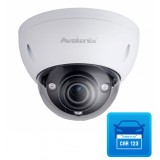
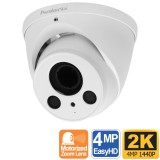
2K 1080P Outdoor Turret Dome Camera, Motorized Zoom, 200ft Night Vision
- 2K HD Outdoor Turret Dome
- Selectable video output via OSD
- 4MP, 1080P, or 960H
- 2.7-12mm Motorized Lens
- Up to 200ft Night Vision
- WDR
- 98 to 26° angle of view
- Ceiling, Wall Mount
Regular Price: $199.99
Now only: $159.99
-
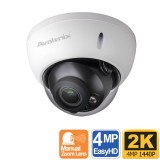
2K 1080P Outdoor Dome Security Camera, 100ft Night Vision, Manual Zoom Lens
- 2K HD Outdoor Dome Camera
- Vandal Resistant
- Selectable video output via OSD
- 4MP, 1080P, or 960H
- 2.7-13.5mm varifocal lens
- Up to 100ft infrared
- 98 to 26° angle of view
- Ceiling, Wall Mount
$259.00 -
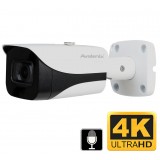
4K Bullet Security Camera, EasyHD
- 4K Bullet Security Camera, HD over Coax
- 4K Resolution
- 130ft IR Night Vision
- 87 Degree View
- Built-in mic
- Weather Proof IP67
- Outdoor, indoor use
- Wall/Ceiling/Pole Mountable
- Requires 4K EasyHD DVR
Regular Price: $249.99
Now only: $210.00
-
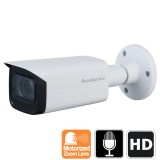
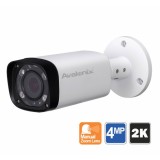
2K 1080P Outdoor Security Camera, 200ft Night Vision, Motorized Zoom Lens, White
- 2K HD Outdoor Bullet Camera
- Selectable video output
- 4MP, 1080P, or 960H
- 2.8-12mm motorized varifocal lens
- Up to 200ft infrared
- 90 to 20° angle of view
- Ceiling, Wal, or Pole Mount
Regular Price: $249.99
Now only: $219.99
-
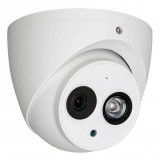
1080P Outdoor Dome with Microphone
- Dome camera with Audio
- 1080P resolution
- 3.6mm fixed lens, 90°view
- 165ft IR, Built-in Microphone
- Mount on any flat surface
- Indoor / Outdoor use
- 12V DC
$125.00 -
HD 1080P Long Range Infrared Camera 5-50mm
- 1080P Long Range Security Camera
- 1080P Resolution Real Time
- 330ft Infrared night vision
- 5-50mm Manual Zoom Lens
- IP66 Weather Proof
- Wall/Ceiling Mountable
Regular Price: $455.99
Now only: $399.99
-
HD 1080P Long Range Infrared Camera 5-50mm, White
- 1080P Long Range Security Camera
- 1080P Resolution Real Time
- 330ft IR Night Vision
- 5-50mm Lens
- IP66 Weather Proof
- Wall/Ceiling Mountable
- White body color
Regular Price: $475.00
Now only: $399.99
-
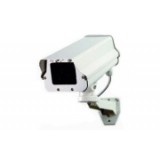
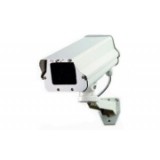
Rugged Outdoor CCTV Camera with Enclosure
- Digital ULTRA Pro Series
- Professional Outdoor CCTV Camera
- 1000TVL Resolution 960H
- 4mm, 2.8-12mm, or 5-100mm lens
- Mounts on wall
$359.99 As low as: $340.99 -
Extreme Temperature Security Camera
- Digital ULTRA Pro Series
- Heated and Cooled Security Camera
- 1000TVL Resolution 960H
- 4mm, 2.8-12mm, or 5-100mm lens
- Mounts on wall
$380.99 As low as: $356.99 -
License Plate Capture Camera for Day and Night
- 3MP 60fps Capture
- Capture license plates from moving vehicles
- Works in day or night
- Up to 40mph
- Up to 150ft away
- PoE IP Camera
- Works with 123CCTV NVRs
- Impact Resistant IK10
Starting at $1,199.99 -
Submersible Underwater Camera
- Underwater Camera
- Submersible for use in pools
- 700TVL Color Video
- 70° View
- BNC Video Output
- 12V Power Input
Regular Price: $599.99
Now only: $549.99



-

All orders over $499, get Free Ground Shipping
Excludes hidden cameras, & orders to AK,HI,PR, outside USA
Also Available

Call us to inquire about international shipping rates.